
How The Smile Line Studio Increased Reviews By 200%
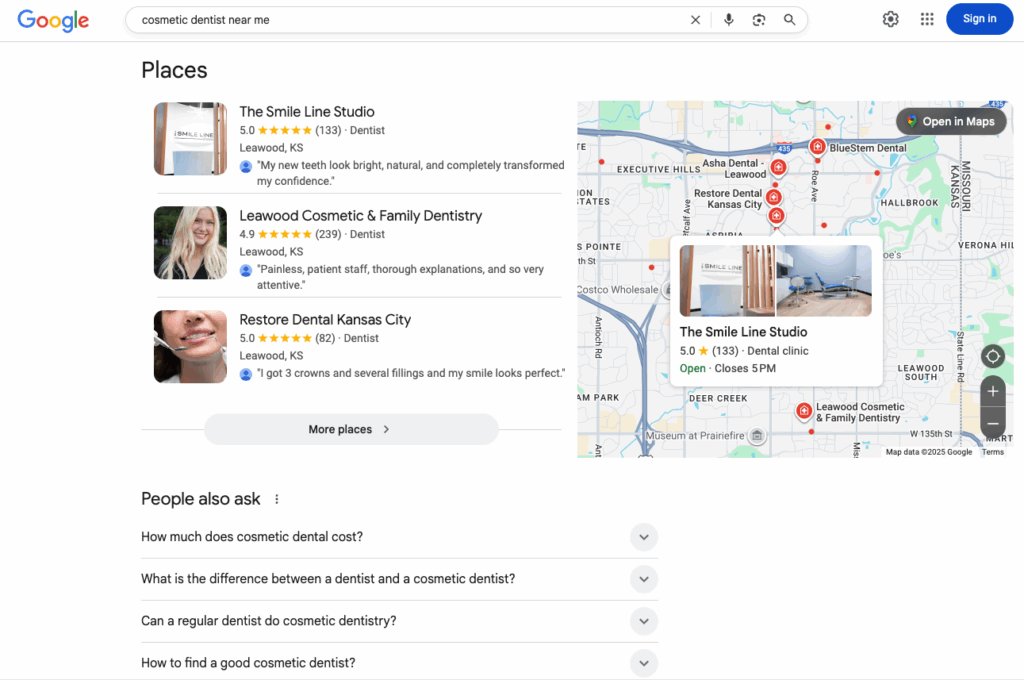
In this blog article I’m going to show you how The Smile Line Studio’s review acquisition strategy helped them start to rank for searches like “cosmetic dentist” and “veneers near me.”

They also earned visibility inside ChatGPT search results.
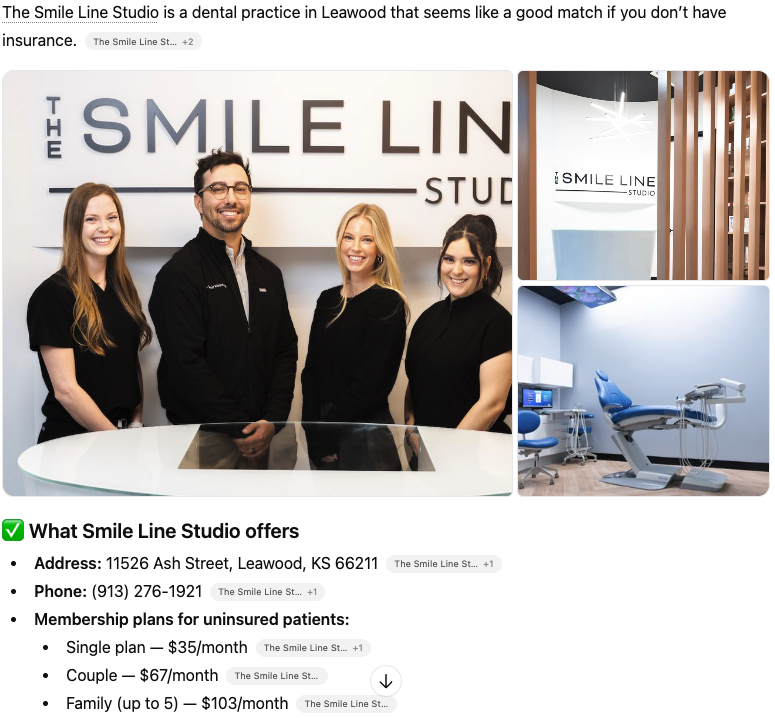
The new patients they gained would have cost thousands of dollars in ads, but they got them completely free.
In this article, I will walk you through the simple three-part process they used so you can use it in your own practice.
3 Reasons Reviews Matter More Than Ever
You already know reviews play a massive role in ranking at the top of Google.
But here is what many dentists do not realize.
1. The Google Map Pack Is the Number One Source of Free New Patients
The Map Pack is the top three local search results that appear on Google. It consistently outperforms ads, organic listings, and even referrals.
Without a steady flow of new reviews, your practice will not appear there.
2. Patients Are Starting to Use AI to Choose Dentists
More patients are using platforms like ChatGPT to get recommendations. When someone asks:
“Who is the best cosmetic dentist near me?”
AI tools evaluate your reputation across Google, Yelp, Healthgrades, and other third-party sites before deciding whether to include you.
3. Reviews Are the Bridge Between Google and AI Visibility
If you want to rank in both types of platforms, you need a system that generates reviews consistently and automatically.
That is where review management systems come in.
What Is a Review Management System?
A review management system is software that automates the process of requesting reviews for your practice. Here is how it works:
A patient comes in for a hygiene visit.
Once the visit is marked complete in your practice management system, the software schedules a text message.
A few hours later, the patient receives a friendly text with your Google review link.
They tap the link and leave a review in under sixty seconds.
No reminders.
No front desk burden.
No uncomfortable requests during checkout.
This simple automation gets far more reviews than manual approaches.
How to Set Up Review Automation in Your Practice
Here is the three-step process you can use immediately.
Step 1: Choose a Review Management Platform
There are many options to choose from. Most of them claim to be similar.
Here are the only two features that really matter.
✓ Compatibility With Your Practice Management Software
This ensures that completed appointments automatically trigger review requests.
✓ Text-Based Review Requests
Texts have much higher response rates than emails.
Pro tip:
You might already have these features inside tools you are using, such as Weave, NexHealth, or Modento.
You may not need new software. You may just need to optimize the settings.
Step 2: Connect the Software to Your Practice Management System
Once you choose a platform, the next step is syncing it with your PMS.
Depending on the provider:
An onboarding specialist may handle everything
Or you may need to configure the integration yourself
Most systems can be set up in just a few hours. It is usually a one-time configuration.
Step 3: Watch the Reviews Start Coming In
After everything is connected:
Each completed appointment triggers an automated request
A personalized text message goes out automatically
Your team does not have to remember anything
Within a few days, new reviews start to appear.
Over the next few weeks, you will see:
- A higher total review count
- A stronger average rating
- Increased visibility in Google search results
- Increased visibility inside AI tools like ChatGPT
This is the exact method The Smile Line Studio used to increase reviews by 200% in a single year.
Conclusion
If you want to compete in Google and ChatGPT, you need a review management system.
It is the number one easiest way to increase your rankings and bring in new patients without ads and without extra work for your team.
If you want help choosing or setting up the right platform for your practice, my contact information is in the description. I would be happy to walk you through the process.